Playing PC Sound Over Classroom Speakers
Step 1: On your PC, right click on the sound/volume icon.

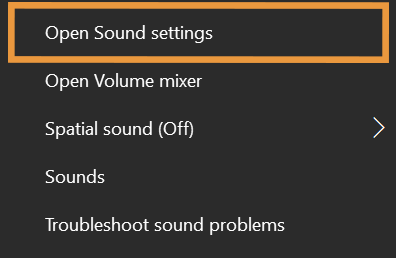
Step 2: Click Open Sound Settings.
Step 3: Open the drop-down under Choose your output device and select the device you wish to play sound over.
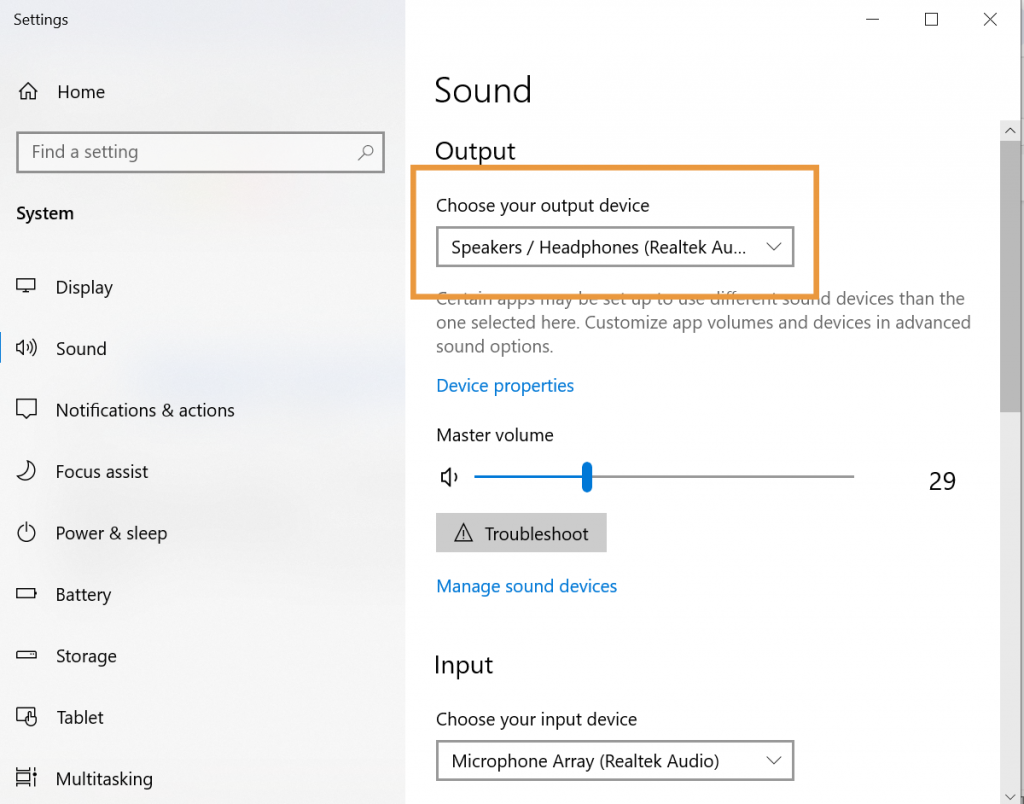
Step 4: Under the Output menu, switch from your PC speakers to the room speakers. These probably start with a DVX, Divx, or Extron in the menu.