Skip to content Skip to main navigation Report an accessibility issue
tables and chairs facing podium on the right

Jessie Harris 228 – Departmental Classroom

This is a departmentally-owned room. OIT can offer some assistance with learning the technology in this classroom, but because this is a departmentally-controlled space, we are not able to offer full assistance. Information on this page may not be completely accurate and may be outdated due to department updates.

Classroom Access button with icons for map, listening, wheelchair access, and classroom photos

Your Room Contains

Classroom Resources:
Instructor Resources:
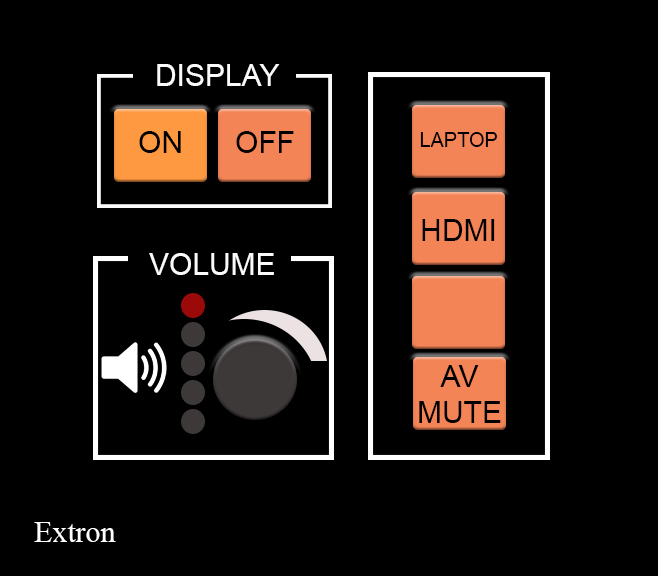
  • Control Panel: Wall Style 2
  • Cables:
    • 1 HDMI cable(s)
Instructor Screens:
Audience Screens:
  • 1 Wall Projector(s)
Audio Visual:

How To...

control panel
  1. To turn on the wall screen, tap the Display On button.
  2. Connect your laptop using the USB-C cable that is on the adapter box.
  3. Choose HDMI and NOT Laptop to show your laptop on the screen.
  4. Turn the dial to turn sound levels up and down in the room.
wall paenl showing HDMI and laptop, choose HDMI even when plugged in with USB-C

When Finished

  1. Tap Display Off.

For more information and basic troubleshooting, go to the Technology Training area.